Everything to run WhatsApp —in one elegant workspace
Inbox, AI, automations, broadcasts, and analytics — organized the way your team works, with real usage numbers from active workspaces.
Official WhatsApp channel
Visual flow builder
Lead scoring & pipeline
Broadcasts with opt-out
Store & data integrations
Usage at 0% markup
Real numbers, not marketing fluff
Live totals from active workspaces — updated as teams add contacts, run conversations, and ship campaigns.
Contacts managed
Live conversations
Broadcasts launched
Automations running
Anonymized workspace totals · updates as teams work
Watch the whole workflow
Lead lands in the inbox, AI replies instantly, an automation nurtures, and your team closes — all in one screen.
- 01First message
- 02AI reply
- 03Pipeline move
- 04Closed deal
Product tour · 1:30
Product demoFour pillars, ten capabilities
Jump to a module — each section matches an area of the live product.
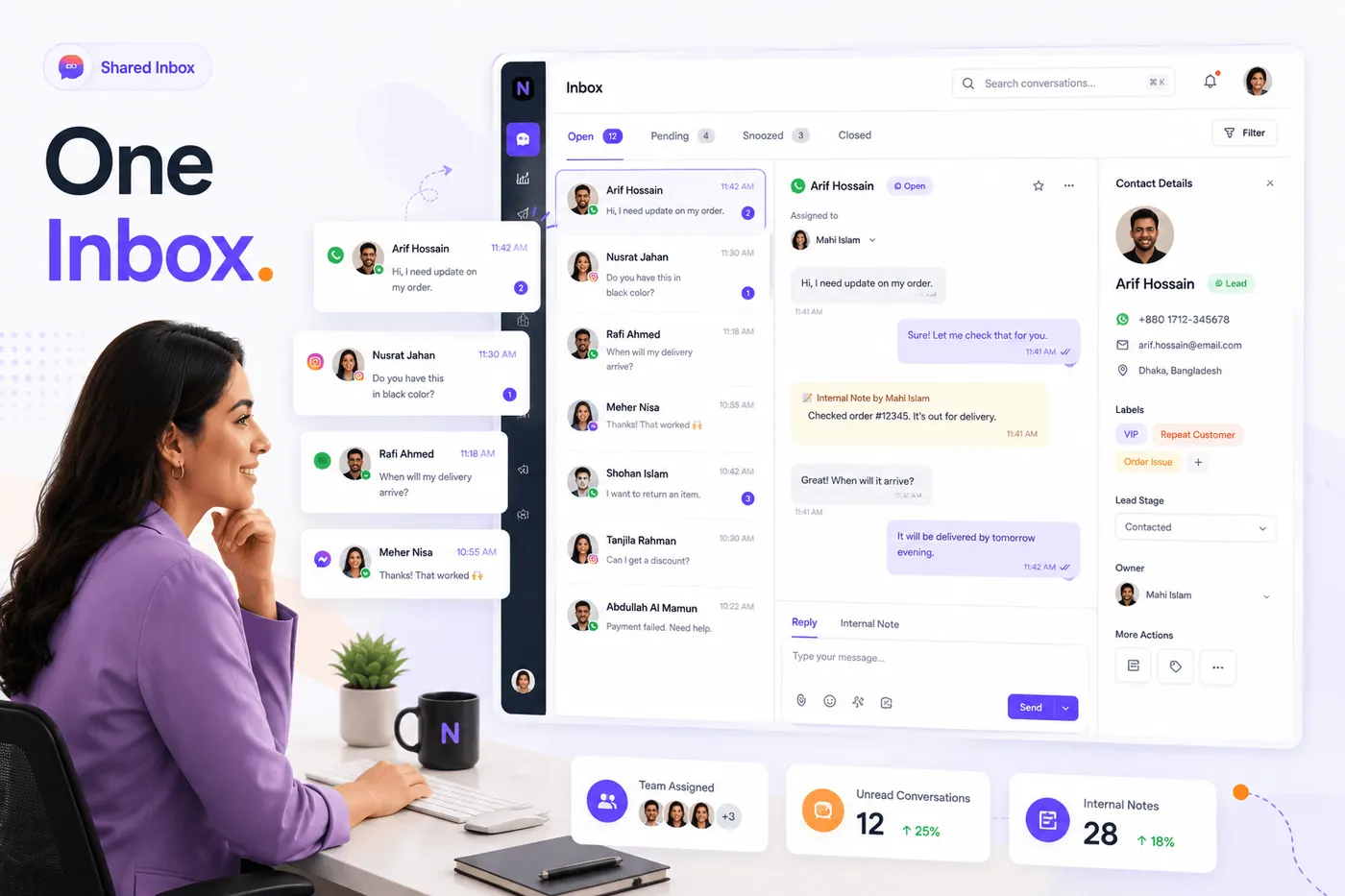
One inbox the whole team shares
Three-pane live inbox on the official WhatsApp channel — assign chats, set status (open, pending, snoozed, closed), add labels and internal notes, use canned responses, and toggle AI per thread with 24-hour window awareness.
- Assign & collaborateRoute chats, private notes, and resolve together.
- Labels & canned repliesSaved quick replies and custom labels on every conversation.
- Per-chat AI toggleTurn auto-reply on or off for any conversation — your team stays in control.
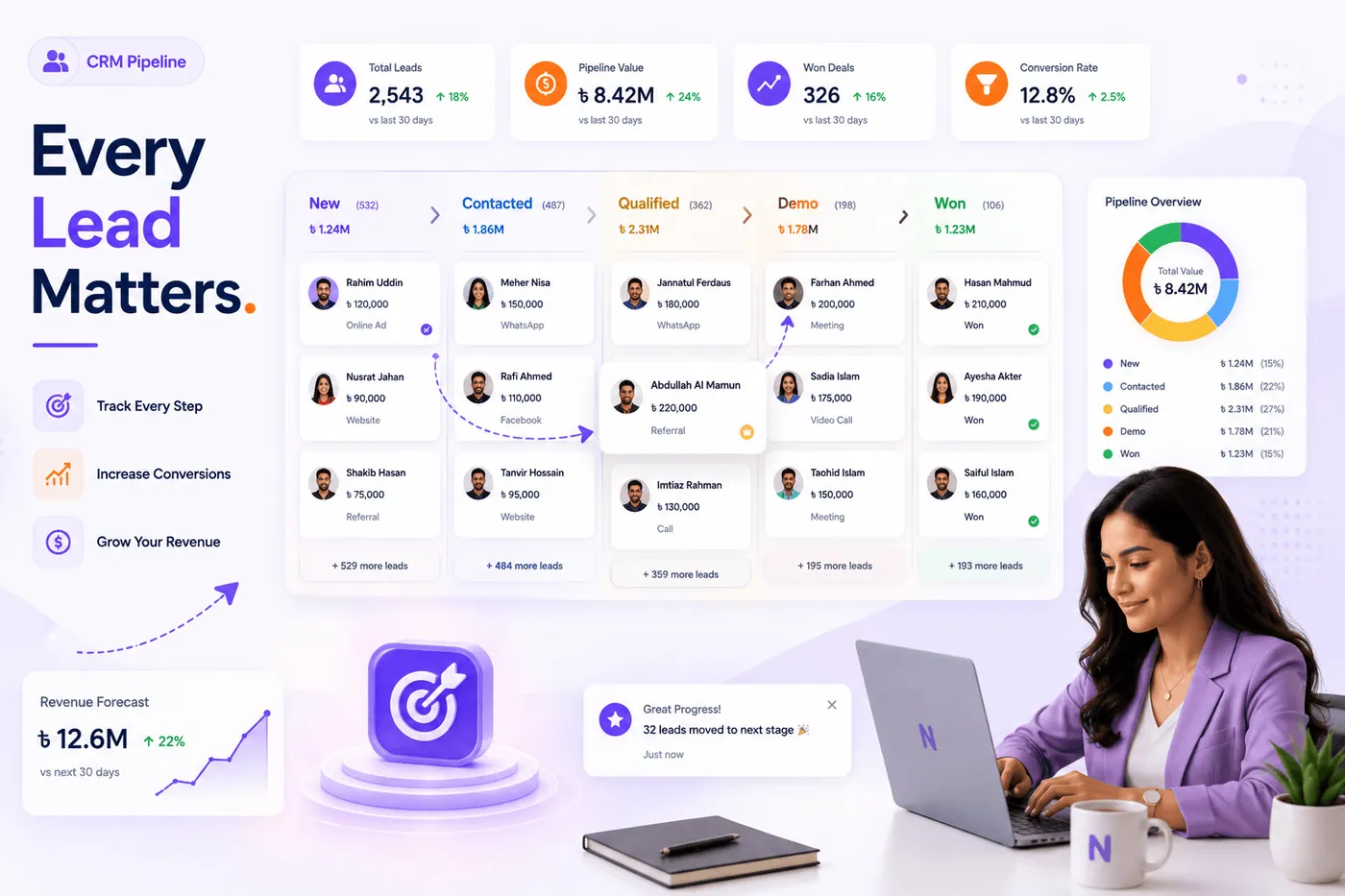
Move every lead from new to won
Sortable table or drag-and-drop Kanban across stages (new → contacted → qualified → demo → won/lost). Deal value, owner, follow-up dates, bulk edit, and a lead 360 with activity timeline.
- Table or boardList view and Kanban board stay in sync with the same live data.
- Deal value & ownerPipeline value, priority, and rep assignment on every card.
- Audience & segments6,441 contacts, 7 saved segments, 13 custom fields.
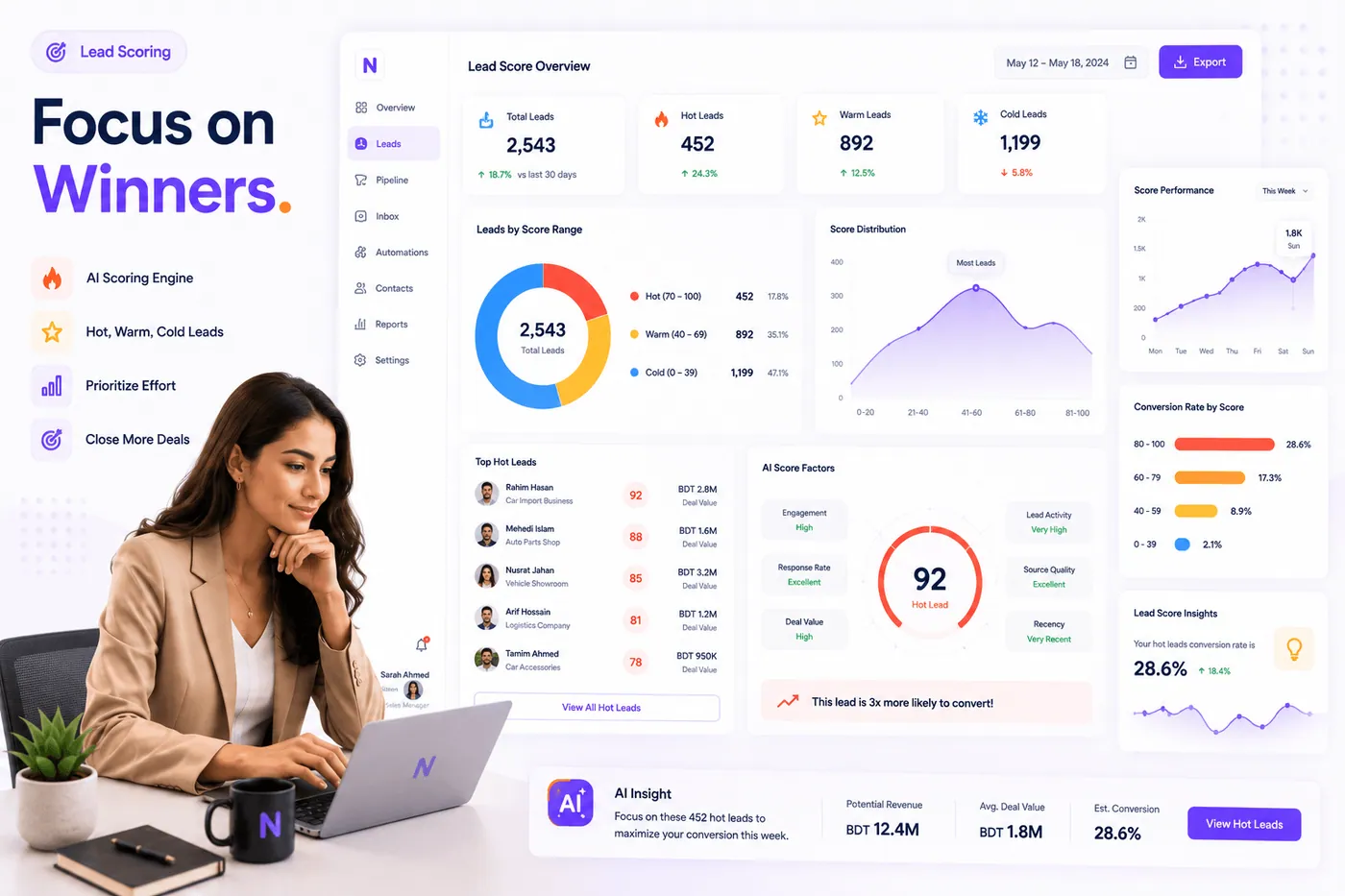
Focus on the leads that will close
0–100 AI scoring buckets leads as hot, warm, or cold from engagement, stage, deal value, source quality, and recency — so reps spend time on winners, not noise.
- Hot / warm / coldScore distribution and top leads surfaced automatically.
- Conversion by scoreSee which buckets convert — tune your follow-up.
- Pipeline contextScoring sits beside stages, value, and owner on every lead.
Marketing
Broadcasts, flows, and sequences that run while you sleep
Template library, segment-based broadcasts, visual flow builder, rule automations, and drip sequences — built to run campaigns while your team focuses on closing.
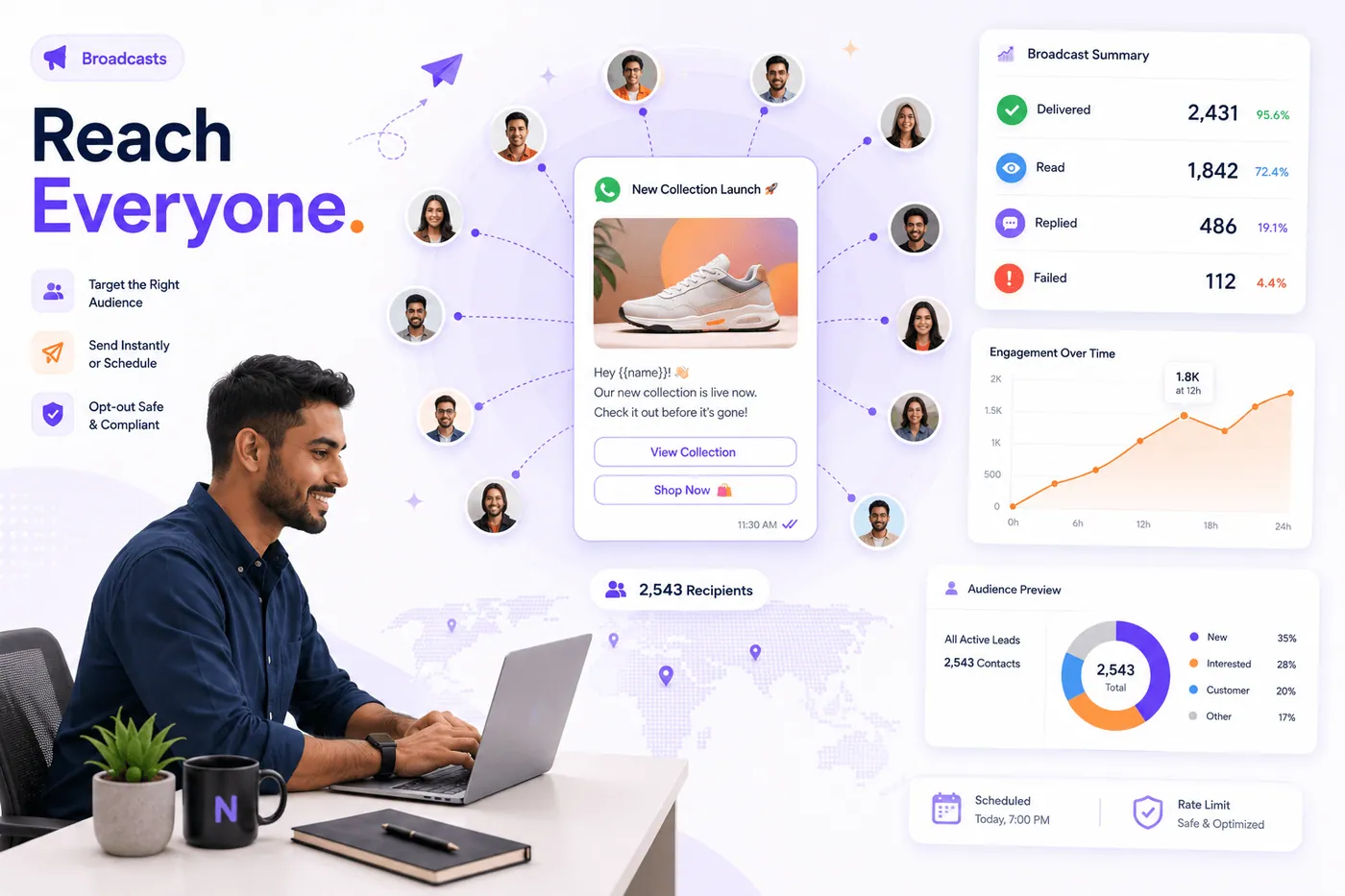
Campaigns that respect your list
Pick a saved segment, stage, or tag audience; auto-exclude opted-out contacts; test-send; schedule; and track delivery, read, reply, and link CTR — rate-limited and compliant.
- Segment audiences7 saved segments with live contact counts.
- Opt-out safeSubscription status respected on every send.
- Tracked linksShort links with click attribution on every campaign.
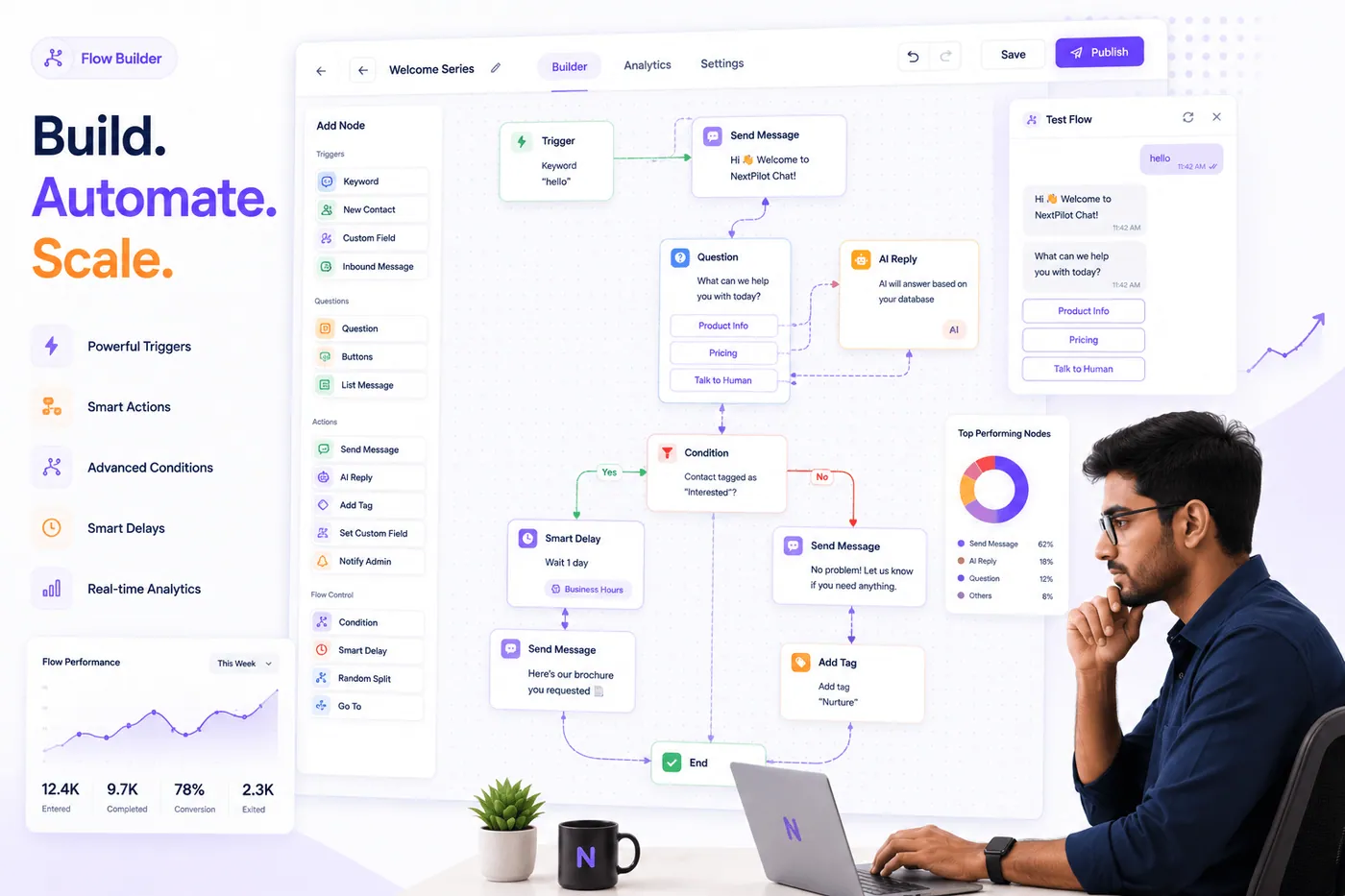
Visual automations on a canvas
Drag-and-drop builder with triggers, questions, buttons, conditions, A/B splits, AI steps, smart delays, and interactive list messages — 13 published flows and 154 flow runs in active workspaces.
- Branch on anythingTags, stages, custom fields, and button clicks.
- AI & A/B stepsIn-flow AI replies, randomizers, and branch paths.
- Per-flow analytics71 button clicks tracked; conversion per node.
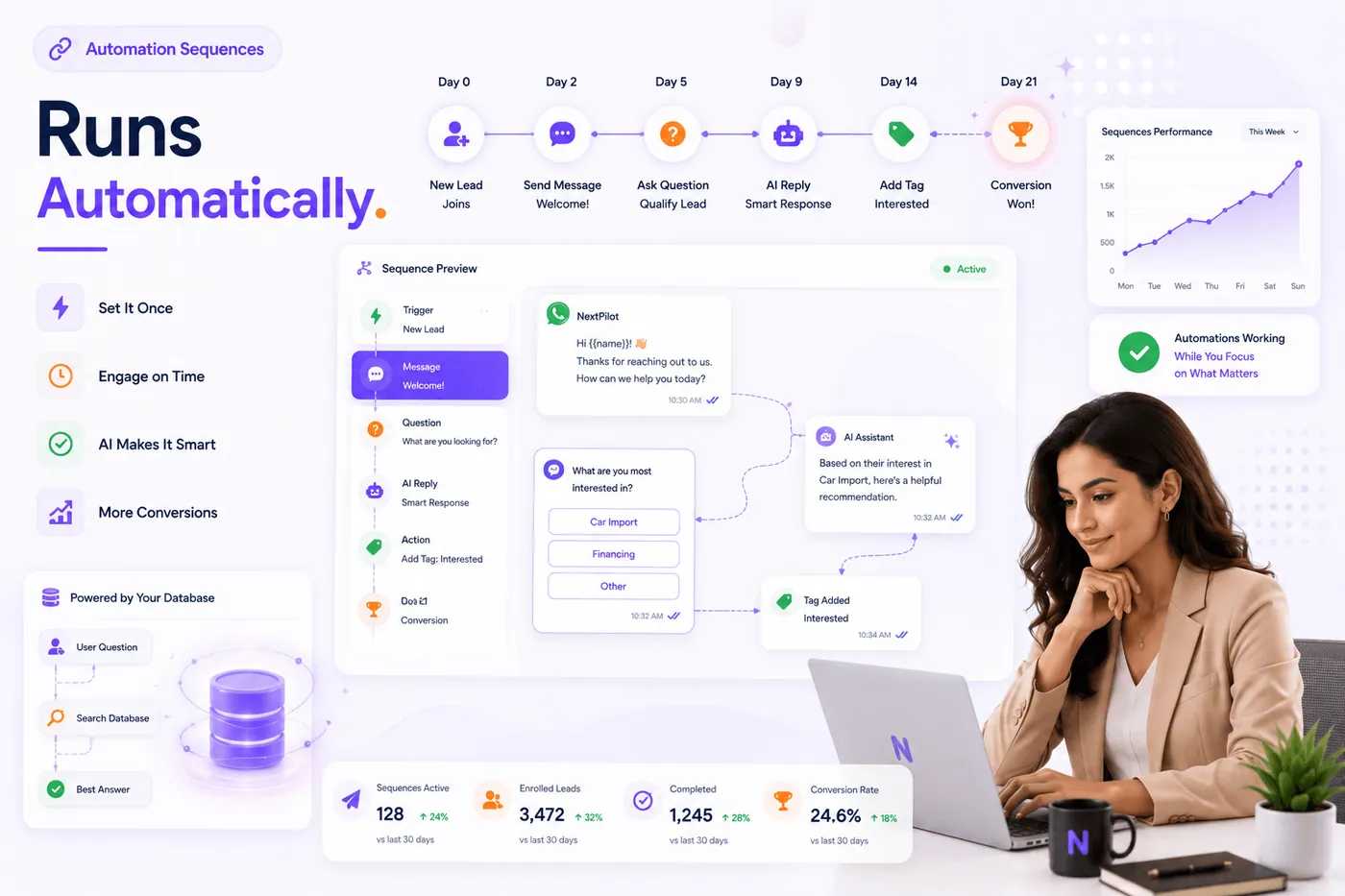
Drip campaigns that run on schedule
Multi-step sequences with delays, keyword and stage triggers, enrollments, and automated follow-ups — 17 sequences, 43 steps, and 65 active enrollments across live workspaces.
- Set it onceDay-0 welcome through day-21 conversion paths.
- AI in the sequenceSmart replies mid-drip without leaving the thread.
- Live data answersPull answers from your records inside flows and sequences.
AI & integrations
Smart AI plus the tools you already use
Intelligent auto-replies, optional answers from your own records, store order automations, and connections to the apps your team relies on — already running for real customers.
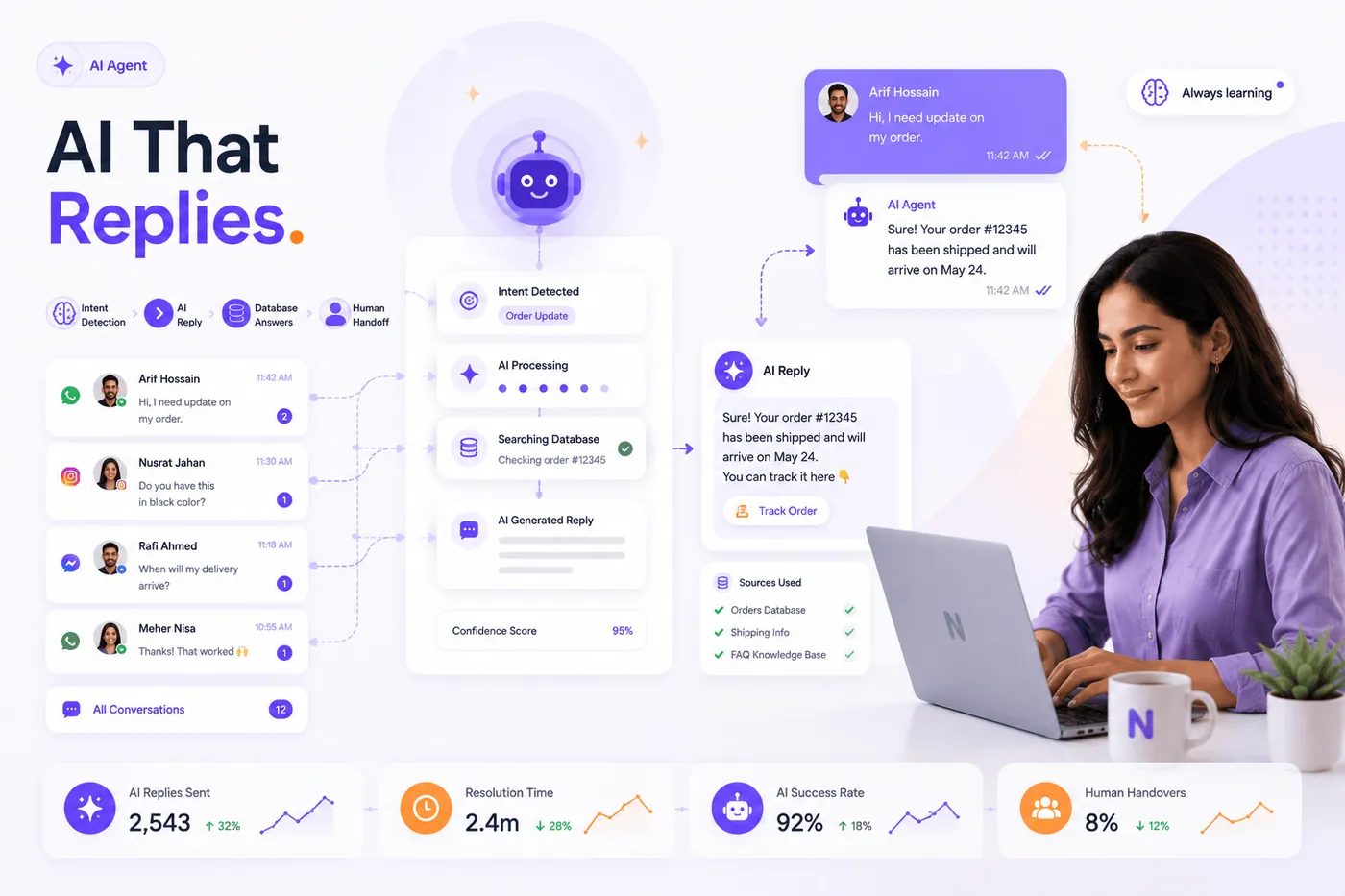
Replies grounded in your live data
The built-in AI assistant classifies intent, searches your records, drafts a reply with confidence scoring, and hands off to a human on cue — with daily budget caps and full spend visibility.
- Live data answersPull answers from your connected business records.
- Intent routingBranch conversations by what the customer wants.
- Human handoffAgents take over; AI pauses on that thread.
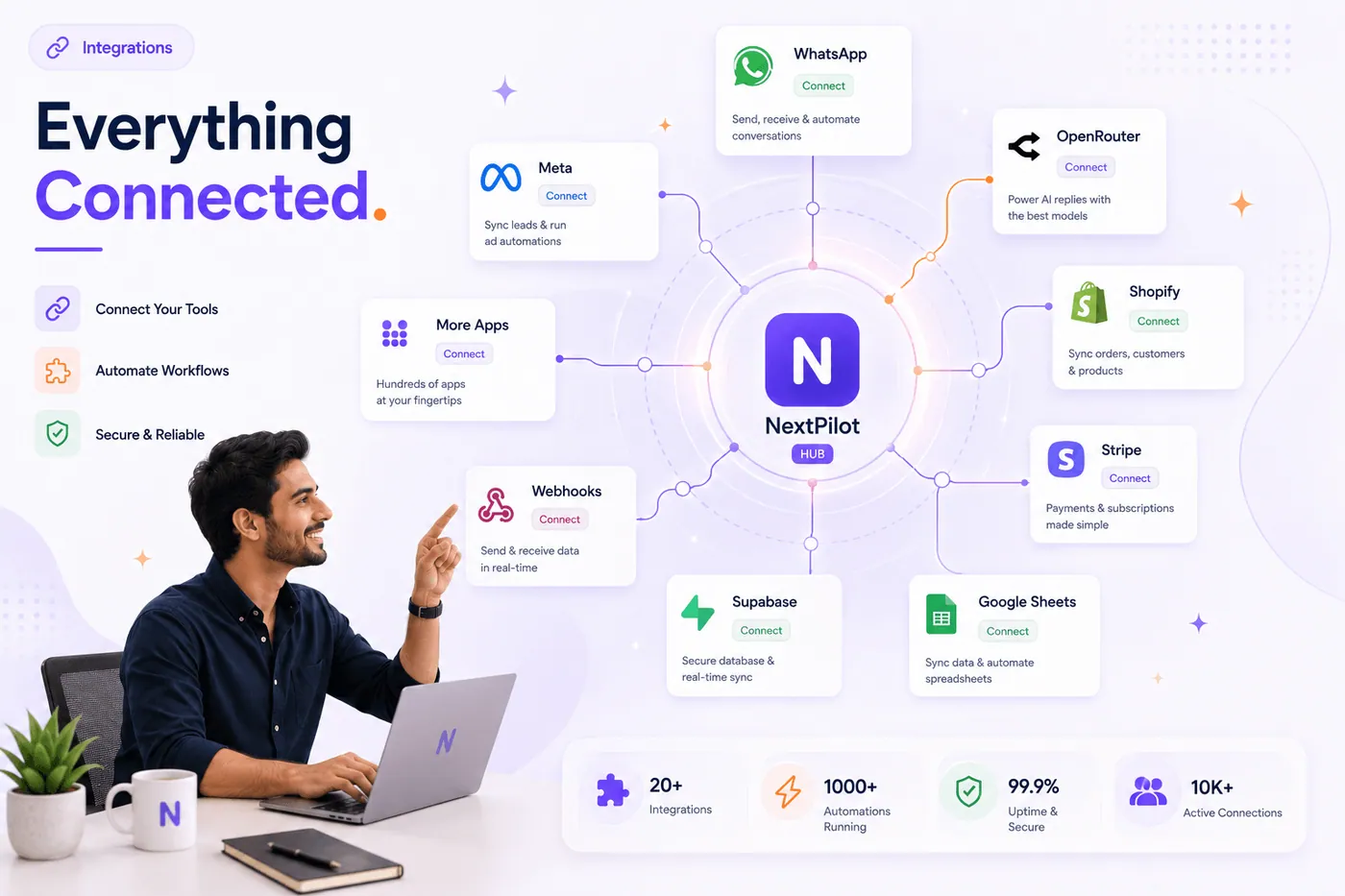
Everything connected to one hub
WhatsApp, your online store, payments, spreadsheets, ads, and custom apps — all connected to one hub, with secure keys and 18 automation rules already active in customer workspaces.
- Online storeOrder updates, catalog sync, and purchase-triggered messages.
- Developer accessConnect your own tools to trigger flows and sync contacts.
- Real-time syncStore and app events update automations instantly.
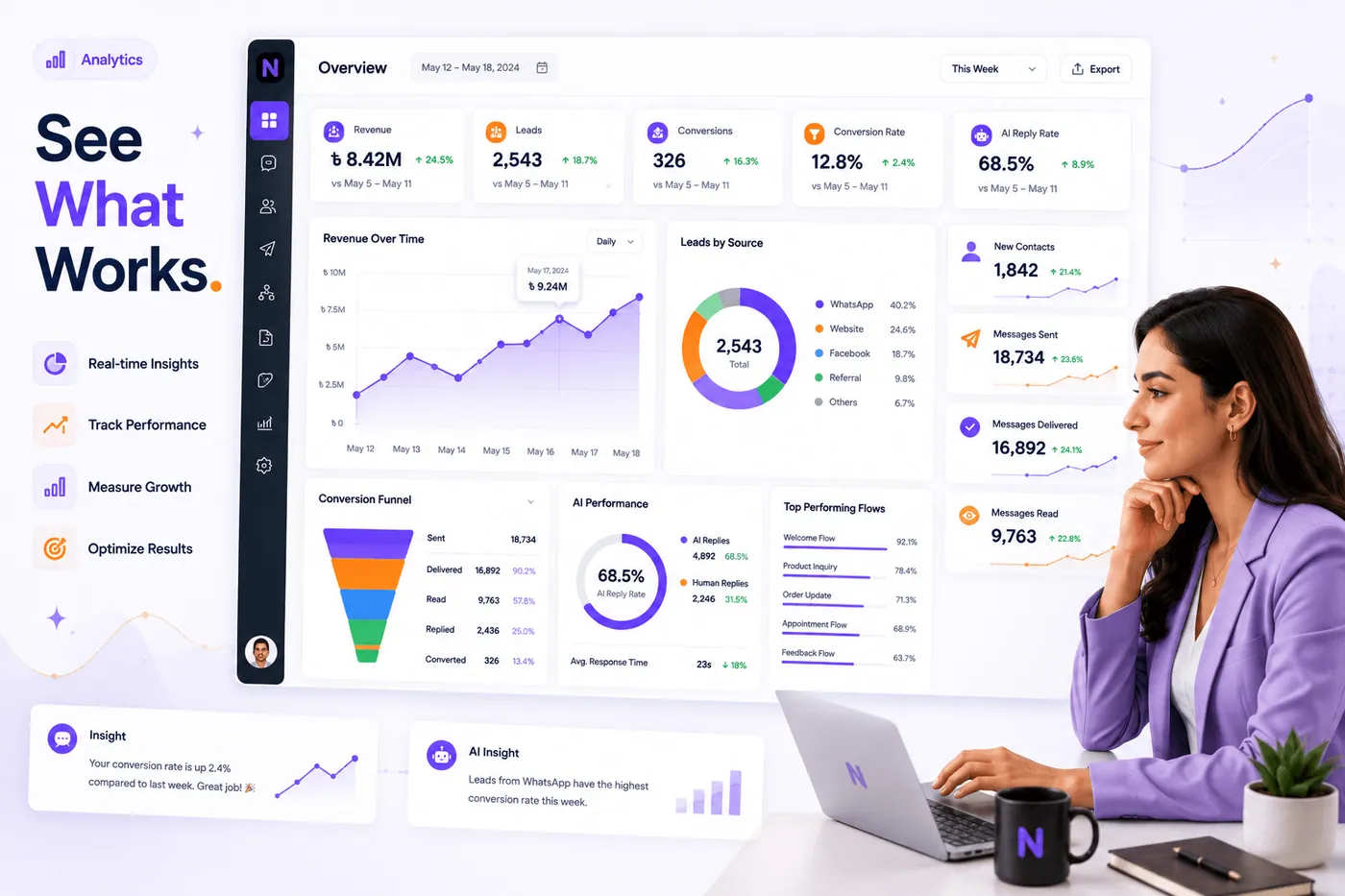
Real-time insights across the funnel
Revenue and lead KPIs, conversion funnel drop-off, leads by source (WhatsApp, web, referral), AI reply rate, and top-performing flows — with week-over-week deltas.
- Funnel & sourcesOverview, pipeline, sources, and engagement tabs.
- AI vs humanTrack the share of replies handled by your AI assistant.
- Channel mixWhatsApp and web chat conversations in one view.
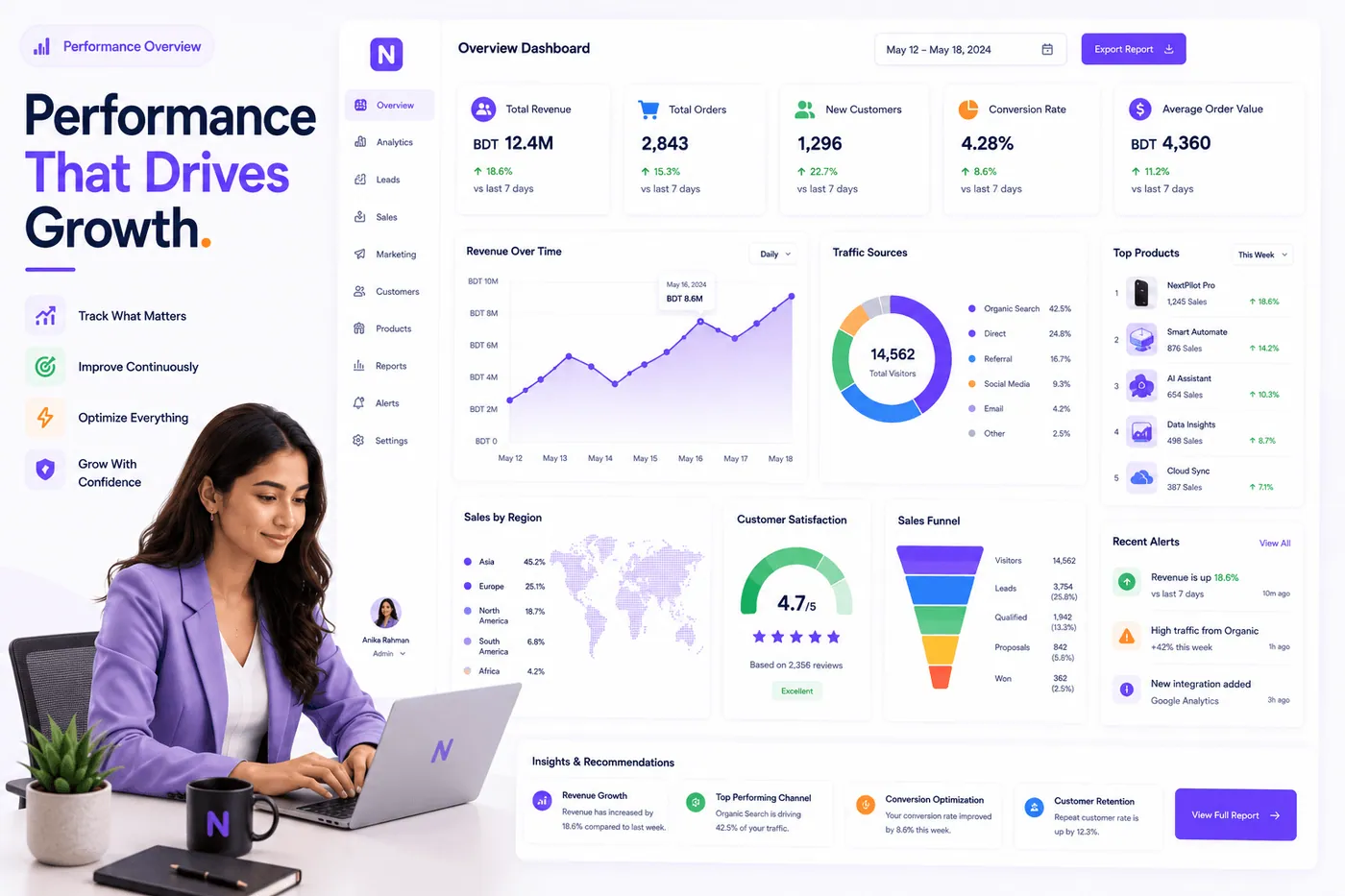
Performance and spend in one place
Usage overview, trends, and a line-item log for every conversation and AI reply — hard daily caps, local or international currency, and provider rates with zero markup.
- Usage at costEvery message and AI reply logged — billed at pass-through rates.
- Budget capsDaily limits so messaging and AI spend never surprises you.
- Reports hubReports and usage dashboards refresh in real time.
AI commerce agent
The sales-agent desk, scored against what NextPilot already runs
Loaded from the feature catalog. Live items are in the product today. In progress is partly built. Next is the remaining commerce-agent work.
One agent
Messenger, Instagram, WhatsApp, and comments
One catalog and one set of rules across every inbox, with recent context kept on the customer.
Messenger inbox
In progressText, images, voice, and buttons on the Facebook Page inbox.
Instagram DMs
In progressThe same catalog answers Instagram messages.
WhatsApp on the Cloud API
LiveOfficial WhatsApp Business number, not a linked personal device.
Comment reply, then inbox
In progressAnswer a comment by name and continue the conversation in inbox.
Recent context on every reply
LiveThe agent keeps the thread and answers in Bangla, English, or both.
Commerce
Take the order from hello through delivery
Qualify the shopper, match the product, confirm the order, and keep them posted until it arrives.
Ask before showing products
NextA few choices first, then product cards with price, code, and buttons.
Match a photo to the catalog
NextCode, exact image, then visual similarity. Unsure matches ask instead of guessing.
Size, measurements, and stock
In progressAnswers come from the catalog and size chart. Prices are never invented.
Nudge inside the 24-hour window
In progressA polite reminder for hot or warm shoppers who go quiet after seeing the price.
Order from a voice note
NextName, phone, and address spoken in a voice note become a confirmed order and receipt.
Courier updates with a track button
In progressSteadfast and Pathao status posted in the chat, including a morning-of-delivery note.
Ask for a review after delivery
In progressThank the customer and send the page review link once the parcel is delivered.
Team
Call a person when the chat needs one
Complaints, refunds, and special requests leave the agent, get claimed, and can return to AI on a timer.
Detect when a person is required
LiveComplaints, refunds, and exceptions are flagged with a written reason.
Phone, extension, and dashboard alerts
LiveThe team is notified and the item stays until someone dismisses it.
Claim in one tap
LiveWaiting time is visible. One teammate takes the chat.
Return to AI when the timer ends
Live1 hour, 4 hours, or until someone sends it back. Then the agent resumes.
Take over from the customer app
LiveA short keyword in Messenger or WhatsApp pulls the thread to the team.
Copilot
The full customer story beside the reply
Timeline, summary, questions, a drafted next message, and a lead pulled out of the thread.
One timeline per customer
In progressPhotos, cards, voice transcripts, orders, and the latest request in order.
Summary before you type
In progressThe relationship in one paragraph: orders, payment method, and rating.
Ask anything about the thread
In progressPrior purchases, last complaint, and other questions against the saved history.
Draft the next reply
In progressThe agent writes it. A person reviews it, then sends it.
Create a lead from the chat
LiveName, phone, and interest lifted out of the conversation into the pipeline.
Workspace
Inbox, leads, orders, and follow-ups together
The operating desk: who is waiting, what to call today, and how much the agent handled.
Longest wait first
In progressOpen chats sort by how long the customer has been waiting.
Lead pipeline
LiveA staged pipeline with today's calls called out.
Orders, receipts, and invoices
In progressConfirm, ship, and deliver, with courier booking from the order.
Hot, warm, and cold follow-ups
LiveChoose who gets a reminder. Cold stays visible without being pushed.
Offer to people who wrote recently
LiveReach customers who messaged inside the open window.
Answers from your documents
In progressFees, syllabus, and policies retrieved from uploaded material.
AI versus team speed
LiveHow much the agent handled, and how fast people replied on complaints and payments.
Owner and teammate access
LiveEvery page, selected pages, or only assigned chats.
Agent desk
Change the agent in plain language
Show the current fact, confirm the edit, preview the customer view, then publish. Roll back in one step.
Edit facts in your own words
LiveSay the new delivery charge. The agent shows the current value and asks before saving.
Preview the customer phone
In progressThe test answer is shown the way the shopper will see it.
Publish only when you say so
LiveLive is a separate step. The previous version is one click away.
Services
Bookings, appointments, and admissions
Coaching, clinics, salons, and travel: collect details, hold an advance, confirm in one tap, remind before the slot.
Questions you define
LiveThe agent collects the fields for that service before creating a request.
bKash or Nagad advance
LiveThe request stores the amount, wallet, and transaction id.
Confirm in one tap
In progressThe customer gets a confirmation, then reminders the day before and a few hours before.
Control
Credits, access, and a short setup
Usage-based AI spend, encrypted channel secrets, and a setup that can resume where it stopped.
AI credits instead of a flat reply fee
LiveEach reply draws from org AI credits, with pack tiers and a usage ledger.
Pause without deleting history
LiveTurning the agent off keeps conversations and orders.
Encrypted channel secrets
LivePage and WhatsApp credentials stay server-side and off the browser.
Resume setup
In progressConnect Facebook, attach Instagram, add WhatsApp, enter business facts, send a test.
Platform features on every plan
Team permissions, compliance, developer access, and a generous trial on every plan.
Team & roles
Invite teammates, assign custom roles, and review permission changes.
Workspace isolation
Each organization's data stays private and scoped to your team.
Developer access
Secure keys, tracked links, and triggers for your own tools.
Official WhatsApp
Connect verified business numbers through guided onboarding.
Rule automations
Keywords, pipeline stages, inbound messages, and store orders.
15-day trial
Full workspace access — upgrade to Starter or Growth anytime.
Inbox depth without the complexity
More capable than a chatbot, simpler than a legacy CRM — one workspace for conversations that convert.
Swipe sideways to compare →
| Capability | NextPilotRecommended | Generic chatbot | Spreadsheet + WhatsApp |
|---|---|---|---|
| Answers from your live data | |||
| Visual flow builder + sequences | Limited | ||
| Lead scoring & pipeline board | Manual | ||
| Broadcasts with opt-out respect | Add-on | ||
| Live data answers | |||
| Online store automations | |||
| Usage & cost at 0% markup | |||
| Roles, keys & integrations | Limited |
Secure by default
Roles & permissions
Owner, admin, and agent roles — plus custom permissions from the team settings page.
Secure developer keys
Connect your tools with revocable keys and tracked campaign links.
Compliant messaging
Opt-out respect and 24-hour window enforcement on every channel.
Explore the product






Good to know
Team inbox, leads pipeline, audience segments, broadcasts, sequences, visual flows, rule automations, AI auto-reply, reports, usage tracking, team roles, and developer access. Store and live-data integrations are available on Growth — connect when you're ready and automations start right away.
Get product updates & WhatsApp playbooks
One email a month — new features, automation templates, and growth tactics. No spam, unsubscribe anytime.
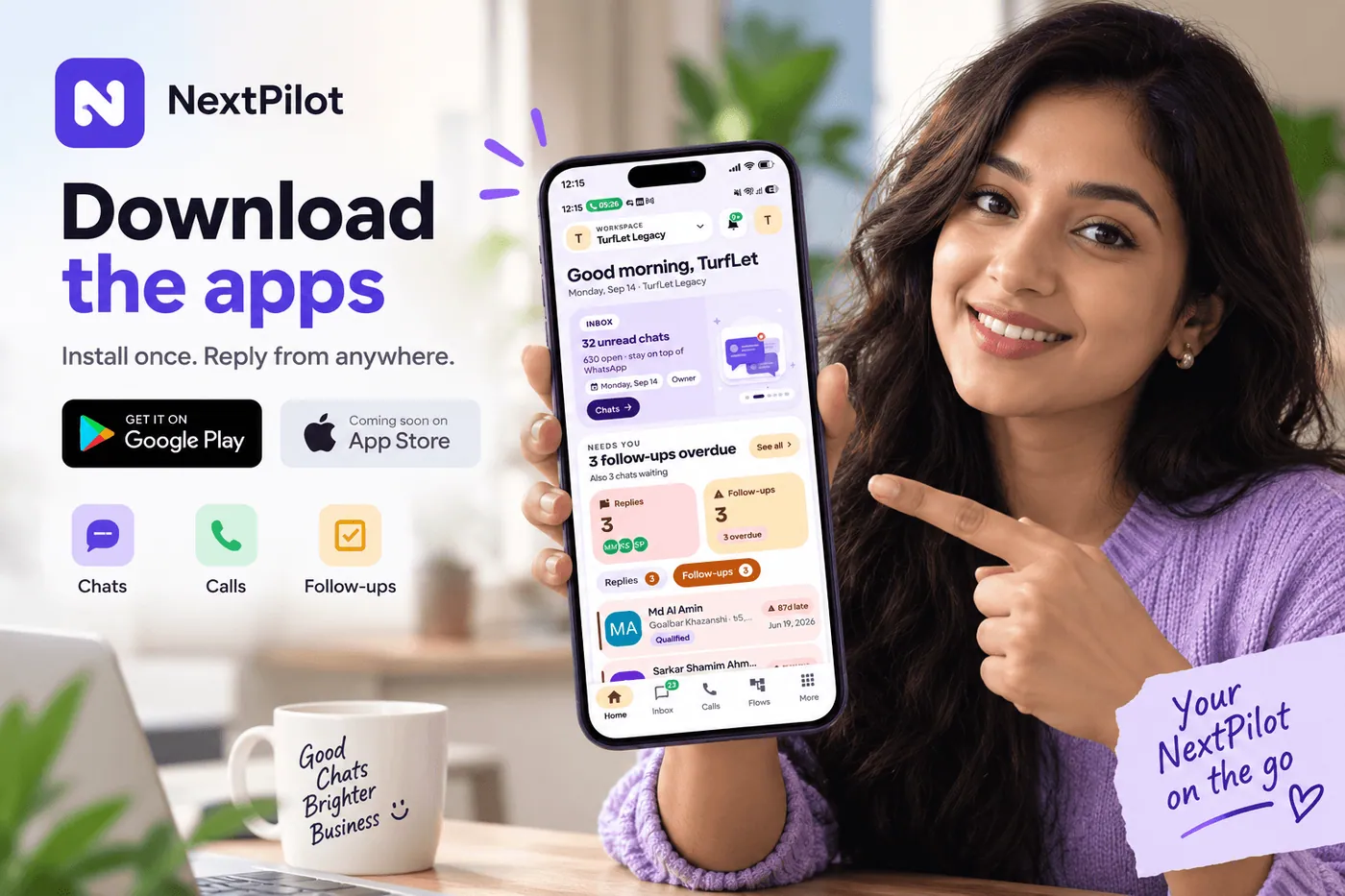
Install once. Reply from anywhere.
Android is live on Google Play. iPhone is next. Same NextPilot Chat login as the web — inbox, calls, and follow-ups in your pocket.
- Inbox on the go
- WhatsApp & SIP calls
- Push alerts
Android
Get it on Google Play
iPhone
App Store listing in progress
Already on the team? Start on the web
Next up
iPhone · Coming soon
Get started
See it on your own numbers
Spin up a workspace, connect WhatsApp, and watch the inbox come alive in minutes — 15-day trial, no card required.